Object storage that doesn’t bleed money on downloads
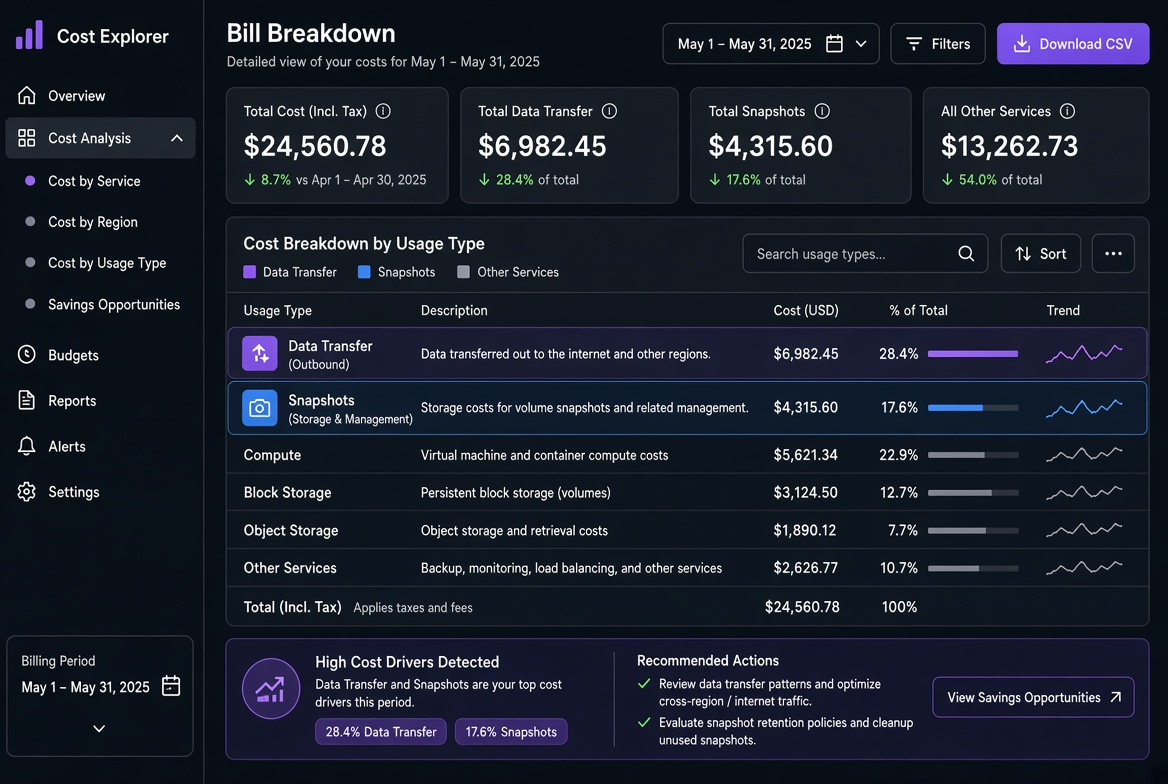
Object storage looks cheap until the downloads start. The calculator shows $0.023 per GB stored and a modest egress tier. Then a popular asset, a mobile app update, or a data-export job goes live and the egress line becomes the largest item on the bill. I have watched more than one team discover this only after the invoice arrived.
The fix is rarely “buy more storage.” It is choosing the right delivery path and then making sure the objects that no longer need to be hot actually leave the hot tier. The options below are the ones I actually use, with the failure modes that still catch people.
One project I still remember had a public “assets” bucket that started at a few hundred MB of traffic per day. After a marketing campaign the same bucket was pushing tens of terabytes a month. The storage cost was still under $50; the egress was several thousand. Moving the hot objects behind a CDN and applying a lifecycle rule to the cold reports cut the bill by more than 70 % within two weeks. The architecture change was small; the visibility into which prefixes were generating the traffic was the real work.
Public bucket: simplest and usually the most expensive for traffic
Making a bucket public (or using a public ACL / policy) is the fastest way to serve files. It is also the fastest way to pay full internet egress rates on every byte. On most major clouds that rate is significantly higher than the storage cost once volume grows past a few hundred GB per month.
I still use public buckets for truly static, low-volume assets when the alternative would be more operational overhead than the egress is worth. The moment the traffic becomes predictable or large, I move the delivery path.
A common mistake is leaving the bucket public “temporarily” while testing a CDN. Temporary has a habit of becoming permanent, and the origin continues to serve every cache miss at full price. I now treat any public ACL or bucket policy as a temporary exception that must have an expiry ticket; otherwise it stays private and the CDN or pre-signed path is the only way in.
CDN in front of the bucket: the default for anything public-facing
Putting a CDN (CloudFront, Cloudflare, Fastly, etc.) in front of the bucket turns most requests into cache hits. Origin egress drops dramatically; you pay the CDN’s edge egress instead, which is usually cheaper and often includes a free tier or better volume discounts.
The configuration that actually saves money:
- Cache-Control / CDN TTL long enough for the asset type (hours to days for versioned static files, shorter for frequently updated manifests).
- Cache key that includes only the parts that matter (ignore query strings that are only for tracking).
- Origin shield or regional edge if the provider offers it, so repeated misses from the same geography hit a single origin pull.
I measure success by the cache-hit ratio, not by the absolute traffic number. A 95 % hit ratio on a busy asset is the difference between a manageable bill and a surprise. When the ratio is below 80 % on a public asset I treat it as a configuration bug until proven otherwise.
# Example: quick check of CloudFront distribution stats via CLI (adapt to your CDN)
# Look for the BytesDownloaded vs BytesUploaded-to-origin ratio over the last 7 days
aws cloudfront get-distribution --id E123EXAMPLE --query 'Distribution.DistributionConfig'
When the hit ratio is low, the usual culprits are short TTLs, cache keys that include unique query parameters, or clients that send no-cache headers.
Cloudflare R2 (and similar zero-egress object stores): when it actually works
R2’s zero-egress pricing to the internet is real for many workloads. The important boundary conditions:
- Traffic that stays inside Cloudflare’s network (Workers, Pages, other R2) is free of egress charges.
- Traffic that leaves to the public internet is also zero-egress on R2’s current pricing, which is the headline feature.
- Operations, Class A/B requests, and storage still cost money. High request rates on small objects can make the request charges larger than the storage + egress you avoided elsewhere.
- Egress to other clouds or certain non-Cloudflare destinations may still incur charges depending on the exact path; always verify the current pricing page for the scenario you care about.
I use R2 when the dominant cost was previously S3/GCS egress and the access pattern is read-heavy with moderate request rates. I do not use it as a drop-in replacement for a high-throughput, tiny-object workload without checking the request pricing first.
A minimal Worker that serves from R2 and sets sensible cache headers looks like this:
// Basic R2 + Workers example (deploy with wrangler)
export default {
  async fetch(request, env) {
    const url = new URL(request.url);
    const key = url.pathname.slice(1);
    const object = await env.MY_BUCKET.get(key);
    if (object === null) return new Response("Not found", { status: 404 });
    const headers = new Headers();
    object.writeHttpMetadata(headers);
    headers.set("etag", object.httpEtag);
    headers.set("Cache-Control", "public, max-age=86400");
    return new Response(object.body, { headers });
  },
};
The same pattern works with other zero-egress or low-egress object stores; the principle is identical: keep the bytes inside the cheap network as long as possible.
Pre-signed URLs: controlled access without making the bucket public
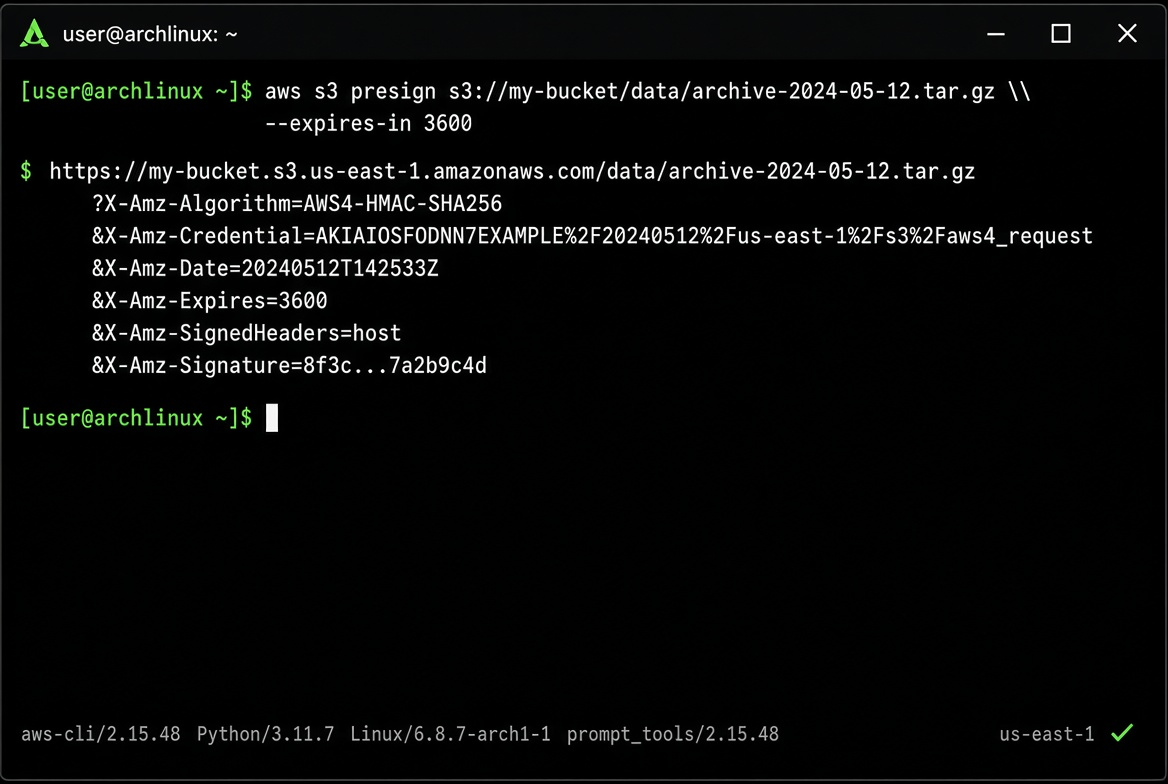
When objects are private but still need to be downloadable by end users or partner systems, pre-signed URLs (or signed cookies) give time-limited, scoped access. The bucket stays private, so casual scanners and hot-linking cannot generate egress.
# AWS example – generate a 15-minute GET URL for a private object
aws s3 presign s3://my-private-bucket/reports/2026-08.csv --expires-in 900

# Equivalent patterns exist for GCS signed URLs and Azure SAS tokens
I generate pre-signed URLs in the application or a small signing service, never embed long-lived credentials in clients. The expiry should match the actual use case; a 7-day URL for a one-time download is just a delayed public object.
Security note that still bites people: if the pre-signed URL is logged by a reverse proxy, CDN, or analytics tool, it can be replayed until it expires. Prefer short expiries and, where possible, single-use or IP-restricted signatures.
Lifecycle rules: the part that stops the storage bill growing forever
Even with perfect delivery, objects that are no longer needed should leave the hot tier. Lifecycle rules are the mechanism.
A practical policy I use for most “user-generated + reports” buckets:
{
  "Rules": [
    {
      "ID": "transition-to-ia",
      "Status": "Enabled",
      "Filter": { "Prefix": "reports/" },
      "Transitions": [
        { "Days": 30, "StorageClass": "STANDARD_IA" }
      ]
    },
    {
      "ID": "expire-old-temp",
      "Status": "Enabled",
      "Filter": { "Prefix": "tmp/" },
      "Expiration": { "Days": 7 }
    },
    {
      "ID": "abort-incomplete-mpu",
      "Status": "Enabled",
      "AbortIncompleteMultipartUpload": { "DaysAfterInitiation": 3 }
    }
  ]
}
Apply it with the CLI or Terraform so it cannot be forgotten:
aws s3api put-bucket-lifecycle-configuration \
  --bucket my-bucket \
  --lifecycle-configuration file://lifecycle.json
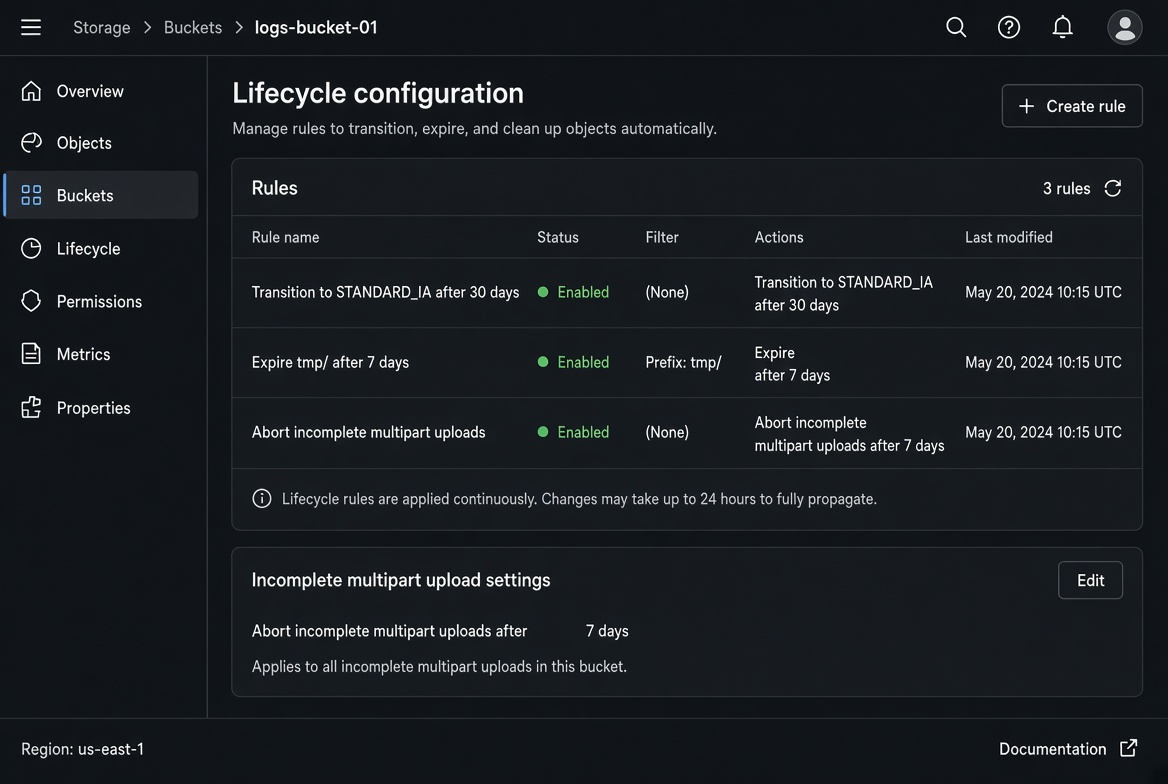
The incomplete multipart upload rule is the one most teams discover only after a large failed upload left gigabytes of orphaned parts. I have cleaned up more than one bucket where incomplete multipart uploads accounted for a surprising fraction of the total storage bill.
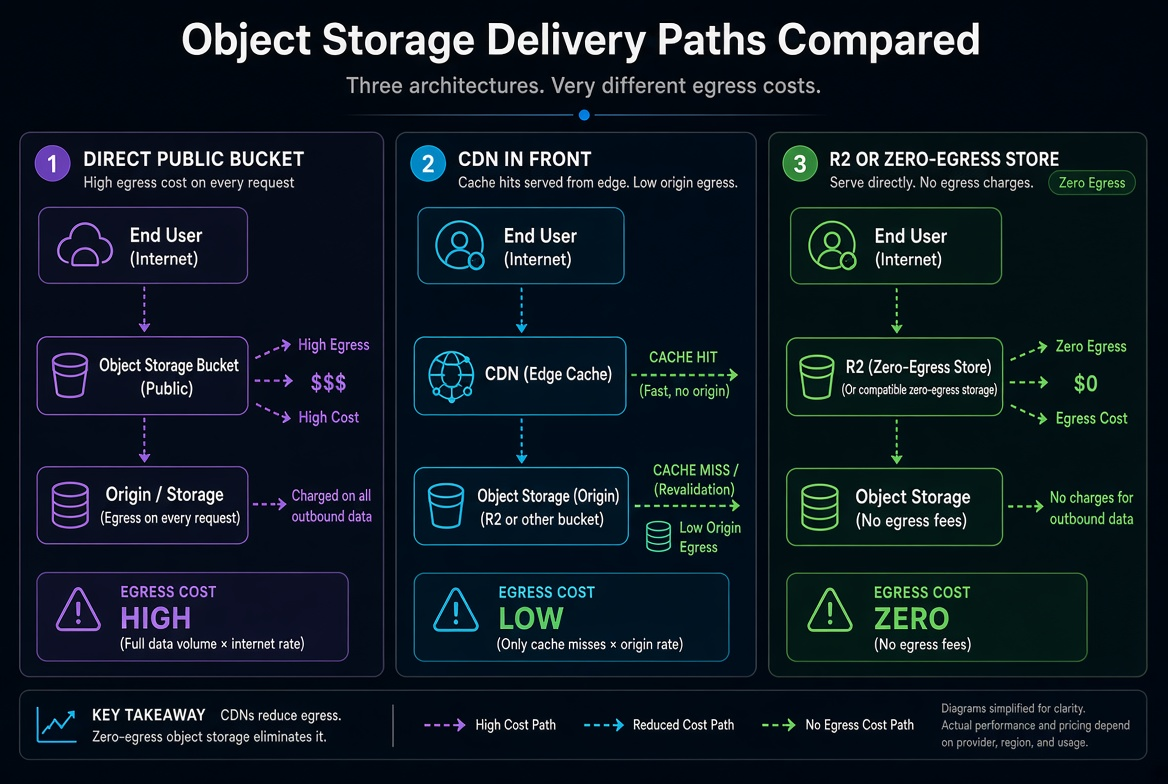
A second visual I keep for the team is the cost-flow picture: direct public downloads versus CDN-cached versus R2 zero-egress path. It makes the trade-off obvious in one glance.
Decision order I actually follow
- Is the object public and cacheable? → CDN in front of the bucket (or R2 + CDN/Workers).
- Is the object private but still needs user download? → Pre-signed URL / signed cookie, short expiry.
- Is the dominant cost storage rather than egress? → Lifecycle to cheaper tiers + expiration.
- Is the access pattern read-heavy and already inside a zero-egress network? → Consider R2 or equivalent.
- Only if none of the above fit and volume is tiny → public bucket is acceptable.
I also keep a monthly habit of looking at the top 10 objects or prefixes by egress. The list is usually short and the fixes are obvious once the bytes are attributed.
What still goes wrong
- CDN is configured but the origin remains publicly readable, so direct links bypass the cache.
- Lifecycle rules are created but never applied to the prefixes that actually grow.
- Pre-signed URLs are generated with 7-day expiry for one-time downloads and then shared in chat.
- Request charges on a zero-egress store exceed the egress that was saved because objects are tiny and frequently listed.
None of these require new products. They require treating delivery path and lifecycle as first-class cost controls, the same way we treat instance size.
After the first month of real traffic, I plug the observed download volume back into the Storage / Egress calculator and decide whether the current path is still the cheapest. The calculator will not invent a better architecture for you, but it forces the comparison to be numerical instead of anecdotal.
The goal is simple: downloads should be a deliberate, measured cost, not the line item that quietly doubles the bill while everyone is looking at compute.
I also add one operational habit: after any large public release or data export, I check the top prefixes by egress the next morning. The list is almost always dominated by one or two unexpected objects (an old debug dump, a full database export left in a public prefix, a mobile asset that was not versioned). Fixing those two objects often removes the majority of the surprise.
When the numbers still look high after CDN and lifecycle are in place, I plug the real traffic volume into the Storage and Egress calculators and compare the current path against R2 or a different CDN tier. The comparison only takes a few minutes once the measured volume is known, and it prevents the “we should have moved this months ago” conversation.
Object storage itself is cheap. Uncontrolled downloads are not. Treat the delivery path and the lifecycle rules with the same seriousness you treat the instance type, and the bill stays predictable. Once the path is deliberate, the first month’s invoice stops being a surprise and starts being a data point you can act on.