A practical post-deploy security checklist (without the enterprise theater)
Most post-deploy security checklists I have seen are either 50-page compliance documents that nobody reads or vague advice that stops at “enable the firewall.” Neither helps a small team that just shipped something and needs to know, in the next hour, whether the obvious doors are closed.
The list below is the one I actually run. It is ordered by how quickly a mistake can turn into an incident, and every item has a concrete command or verification step. It is deliberately incomplete: it ignores the theater that does not change risk for a team of fewer than twenty people.
I used to carry a much longer list. After watching teams skip the long version entirely and then get burned by the same five or six issues, I cut it down to the items that repeatedly mattered in real incidents. The result is shorter, more likely to be executed, and still covers the majority of post-deploy risk for a typical web or API service on a cloud VM or container.
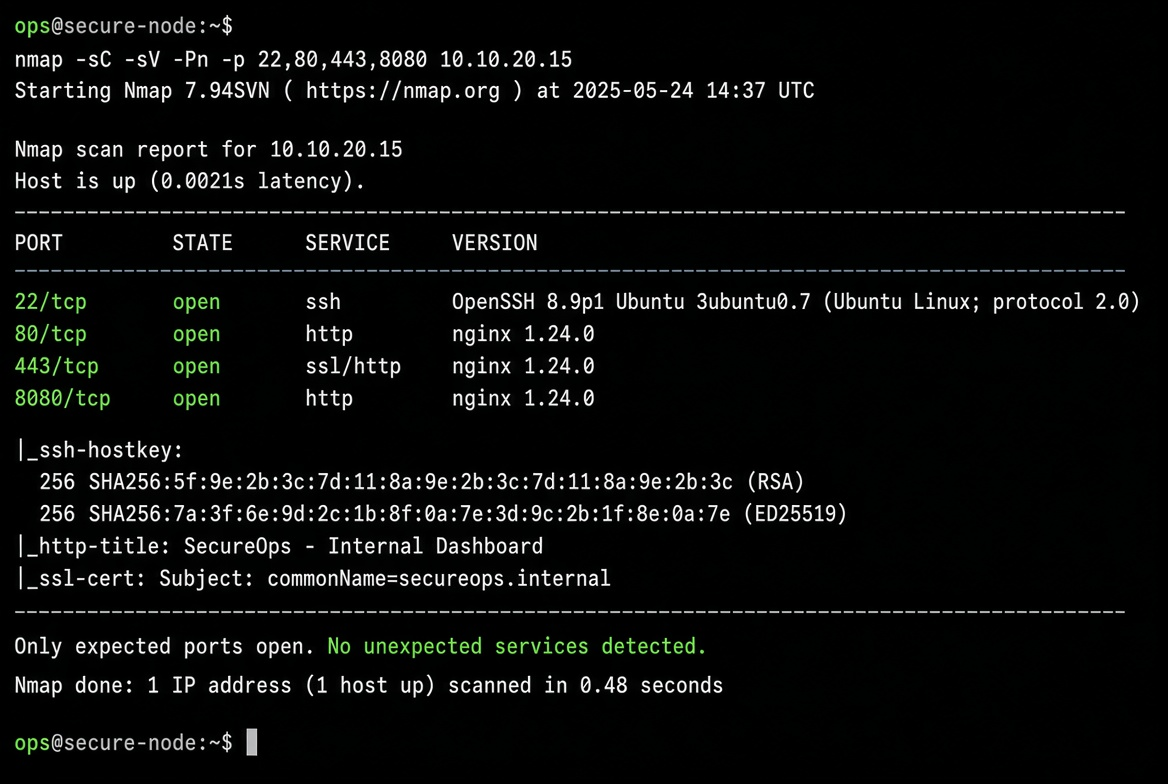
1. Confirm only the intended ports are reachable from the internet
# From an external host (phone hotspot or a cheap VPS)
nmap -Pn -p 1-1024,3000,8080,8443 YOUR_PUBLIC_IP
# Or the lighter version
nc -zv YOUR_PUBLIC_IP 22 80 443 8080 2>&1
Compare the result with the security-group / firewall rules you believe are in place. Any extra open port is a finding. I have caught forgotten debug ports and old health-check listeners this way more times than I care to admit.
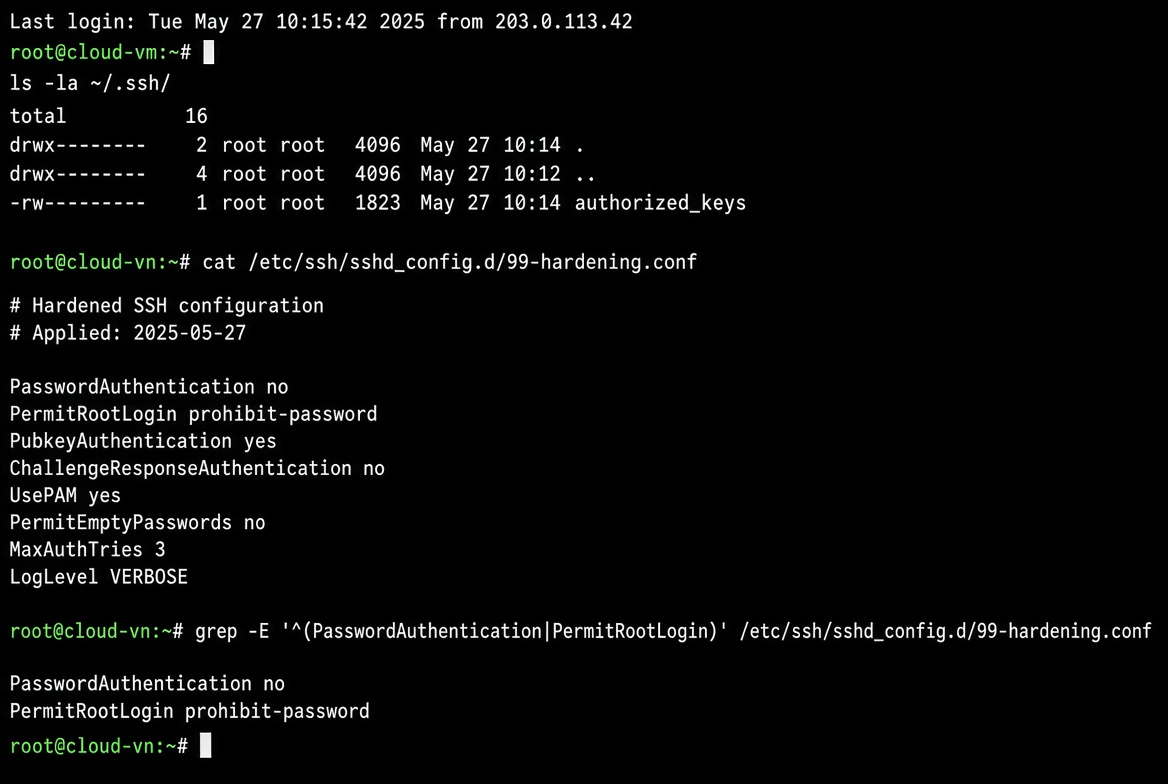
2. Verify SSH is key-only and restricted
sshd -T | grep -E 'passwordauthentication|permitrootlogin|port|allowusers'
# Expect passwordauthentication no, permitrootlogin prohibit-password or no
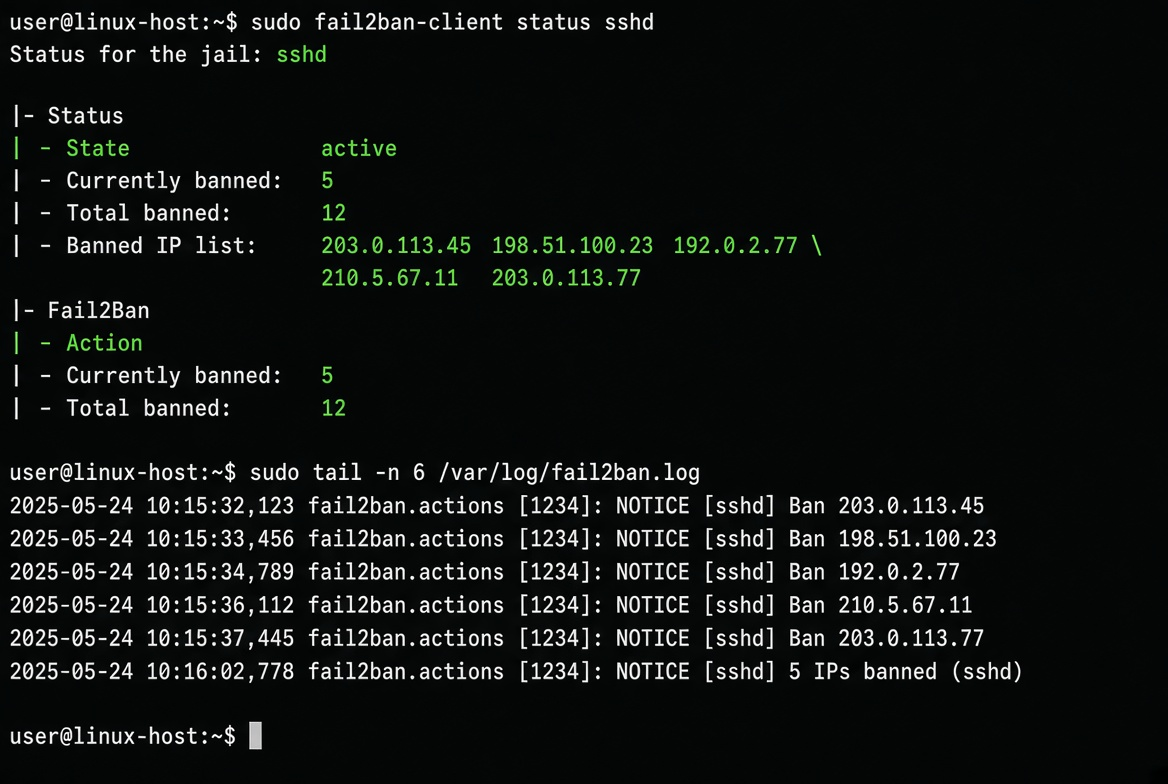
Then confirm fail2ban (or the equivalent) is active and has a sensible ignoreip list. A single successful password login after deploy is already a failure of the first-30-minutes process.
3. Check that unattended security updates are actually enabled
cat /etc/apt/apt.conf.d/20auto-upgrades
systemctl is-enabled unattended-upgrades
grep -i unattended /var/log/unattended-upgrades/unattended-upgrades.log | tail -5
If the last successful run is weeks old on a newly deployed box, the mechanism is broken. Fix it before the next zero-day.
4. Look for secrets in the environment and in the filesystem
# Rough but effective
env | grep -iE 'key|secret|token|password|credential' || true
find /home /var/www /opt -name "*.env" -o -name "*secret*" 2>/dev/null | head
# Also check common config locations
grep -r -iE 'api[_-]?key|secret[_-]?key|password\s*=' /etc 2>/dev/null | head || true
Any secret that appears in the process environment of a long-running service or in a world-readable file is a finding. Move it to a secrets manager or at least to a root-only file with mode 600. I still find database passwords in .env files that are readable by the web-server user more often than I would like.
5. Confirm the application is not running as root
ps aux | grep -E 'node|python|java|nginx|uvicorn' | grep -v grepIf the main process is UID 0, that is a priority fix. Create a dedicated user, fix the systemd unit or container user, and restart.
6. Verify TLS certificates and redirect behaviour
echo | openssl s_client -connect YOUR_DOMAIN:443 -servername YOUR_DOMAIN 2>/dev/null | openssl x509 -noout -dates -subject
curl -sI http://YOUR_DOMAIN | grep -i location
Expired certificates and missing HTTP-to-HTTPS redirects are still among the most common post-deploy oversights. Automate the certificate check later; for the first hour a manual look is enough.
7. Check basic file permissions on sensitive paths
ls -la /etc/ssh/sshd_config /etc/shadow /home/*/.ssh 2>/dev/null
namei -l /var/www/html 2>/dev/null || true
World-writable web roots or 644 private keys are still found in the wild. Fix the ownership and mode before the box has been online for a day.
8. Confirm logging and monitoring are actually receiving data
A security checklist that does not verify observability is incomplete. Generate a test event (failed SSH login, application error, or synthetic metric) and confirm it appears in the central log or metrics system within a few minutes. Silent failure of the logging pipeline is how incidents stay invisible.
9. Review the cloud IAM / service-account permissions of the runtime identity
The instance or task role should have the minimum set of permissions required for its job. Wildcard actions and broad resource ARNs are findings. This check is often the highest-impact one for cloud-native services and the easiest to leave for “later.”
A practical way to start:
# AWS example – inspect the role attached to the instance or task
aws iam get-role --role-name YOUR_RUNTIME_ROLE
aws iam list-attached-role-policies --role-name YOUR_RUNTIME_ROLE
aws iam list-role-policies --role-name YOUR_RUNTIME_ROLE
If the policies contain * on actions or resources that the service does not need, open a ticket and shrink them. Do not wait for a security review cycle; the first post-deploy hour is the cheapest time to fix it.
10. Document the break-glass path
Write down (in the team wiki or the runbook) how someone gets interactive access if SSH is locked or the bastion is down: serial console, SSM Session Manager, emergency user, or provider support. A checklist that does not include recovery is only half useful.
What can be automated tomorrow
Items 1–3, 5 and 7 are straightforward to turn into a small post-deploy script or CI job that fails the pipeline if they regress. Item 4 can be approximated with a secrets scanner. Item 9 belongs in the IaC policy as a preventative control. Items 6, 8 and 10 still benefit from a human eyes-on check the first few times a new service type is deployed.
I keep the entire list in a single markdown file that is linked from every new service’s runbook. After the first week the automated subset runs on a schedule; the human subset is required only for the initial deploy and for major architecture changes.
The goal is not to pass an audit. The goal is to make sure that the most common ways a freshly deployed service gets owned or starts leaking data are closed before the team goes home. Ten concrete checks, ordered by impact, with commands that actually run, beat a fifty-page policy that nobody executes.
I also keep a one-line status in the deploy ticket or the release notes: “Post-deploy security checklist: green / yellow / red + date.” Yellow means a non-blocking finding that has an owner and a due date; red means the service should not receive production traffic until fixed. The binary of “we ran the checklist” is more useful than a long report that is filed and forgotten.
For container-based services the same priorities apply, only the commands change: check the security group or network policy, confirm the container user is non-root, scan the image for high/critical CVEs that have fixes, verify the runtime role has least privilege, and confirm logs are leaving the cluster. The spirit is identical.
After the checklist has been green for a few deploys, most of the mechanical items move into automation and the human time is reserved for the judgment calls (IAM surface, break-glass path, whether a new dependency changes the threat model). That is the point at which the process stops feeling like theater and starts feeling like ordinary operational hygiene.
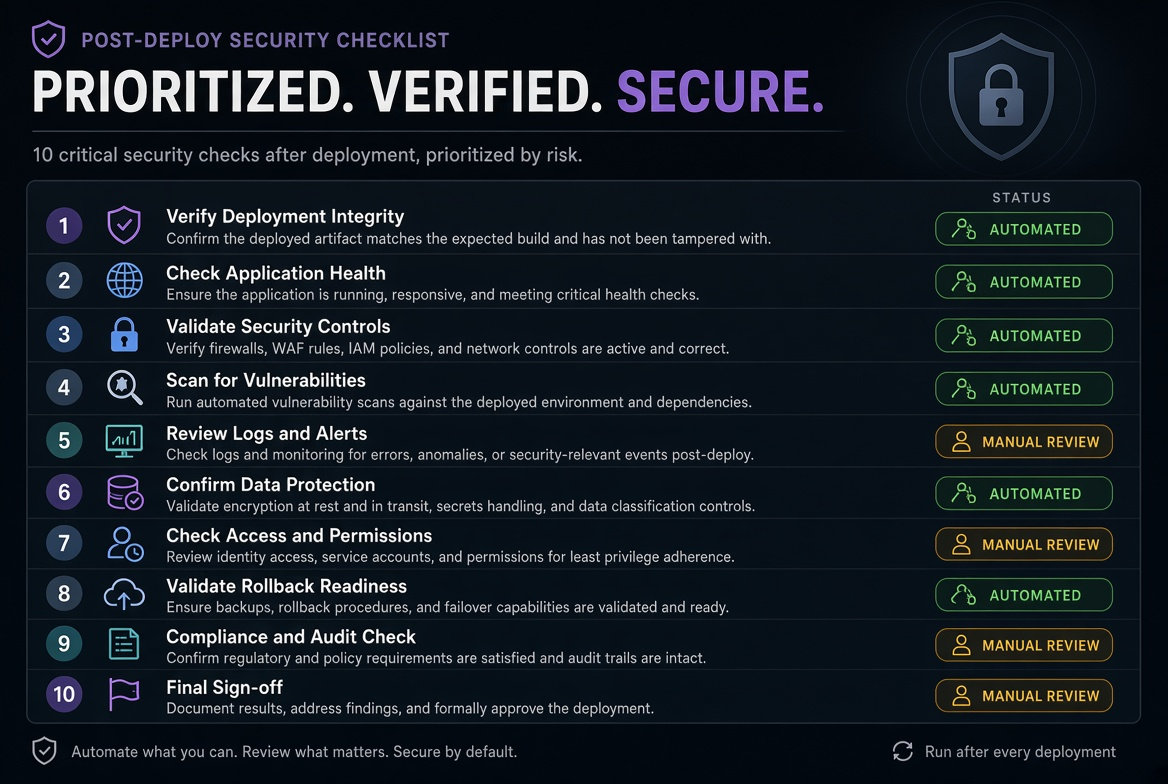
The same list, with only minor command changes, works for containers and for serverless functions (check the execution role, the network egress rules, the presence of secrets in environment variables, and the logging destination). The underlying question is always the same: “If someone starts probing this service in the next hour, what is the first thing they will find?” Close that first thing before you declare the deploy done.
Related tools
Related reading
After the OS boots: the first 30 minutes on a new cloud VM
A practical, opinionated sequence for the first half hour after a fresh cloud Linux image comes online. Real order of operations from someone who has locked themselves out more than once.
SSH hardening that actually survives the first week
A practical combination of keys, fail2ban, port changes and AllowUsers that keeps working after the honeymoon period, plus the exact ways people lock themselves out.