Snapshots, backups and the storage bill that grows while you sleep
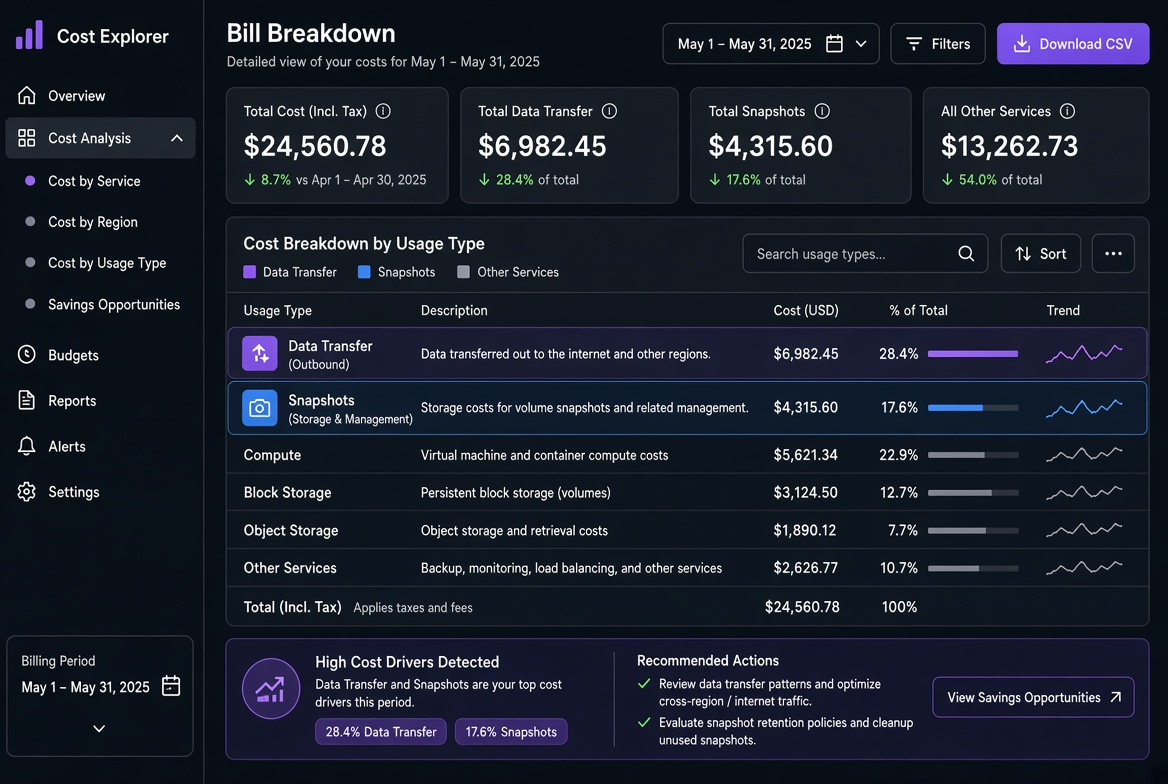
Snapshots feel free when you first enable them. The console shows a few GB and the daily change is tiny. Six months later the snapshot storage line is larger than the volumes it protects, and nobody remembers why half the snapshots still exist. I have cleaned up more “temporary” backup policies that became permanent than I care to count.
The cost drivers are straightforward: full-size first snapshots, retained increments that never get deleted, cross-region copies, and incomplete multipart or failed backup artifacts that linger. The fix is equally straightforward once the numbers are visible: measure real occupancy, set explicit retention, and automate the deletion of anything past its useful life.
One team I worked with had enabled daily snapshots with “keep forever” during a migration weekend. Eighteen months later the snapshot storage was three times the size of the live volumes. Most of the data had not changed in a year. A two-hour cleanup script that respected a keep=true tag and deleted everything older than 90 days removed more than 60 % of the snapshot bill with zero impact on recoverability for the actual RPO the business cared about.
How snapshot storage is actually billed
On most clouds a snapshot starts as a full copy of the volume (or a full logical copy). Subsequent snapshots are incremental, storing only the changed blocks. The billing unit, however, is still the total unique data retained across the chain. Delete an old snapshot and the blocks that are only referenced by that snapshot become reclaimable; blocks still referenced by newer snapshots stay.
Cross-region copy creates a second, independent chain in the destination region. That chain has its own full-size starting point and its own retention. Enabling “copy to another region for DR” without a matching expiration policy is one of the fastest ways to double the snapshot bill.
I treat snapshot storage as a separate line item that needs its own budget and its own owner. It is not “just part of the volume cost.”
A subtle point that still surprises people: deleting a snapshot does not always free space immediately if newer snapshots depend on its blocks. The provider’s garbage collection eventually reclaims the unique data, but the bill may lag by a day or two. Planning cleanup windows with that lag in mind avoids the “I deleted it but the cost is still there” confusion.
Measuring what is really consuming space
Provider consoles and CLIs give the total snapshot storage, but the useful number is the breakdown by age, by volume, and by whether a snapshot is still referenced by a newer one.
# AWS-style example – list snapshots older than 30 days
aws ec2 describe-snapshots --owner-ids self \
  --query 'Snapshots[?StartTime<=`2026-08-01`].{ID:SnapshotId,Vol:VolumeId,Time:StartTime,Size:VolumeSize,Desc:Description}' \
  --output table

# Rough size estimate of a snapshot chain (provider-specific; adapt)
# Look at the “Storage” or “Snapshot storage” metric in Cost Explorer / equivalent
Equivalent commands exist for the other major clouds. The goal is to answer three questions:
- How much snapshot storage is older than our stated retention?
- Which volumes are generating the most snapshot growth?
- Are there orphaned snapshots whose source volume no longer exists?
A retention policy that actually gets enforced
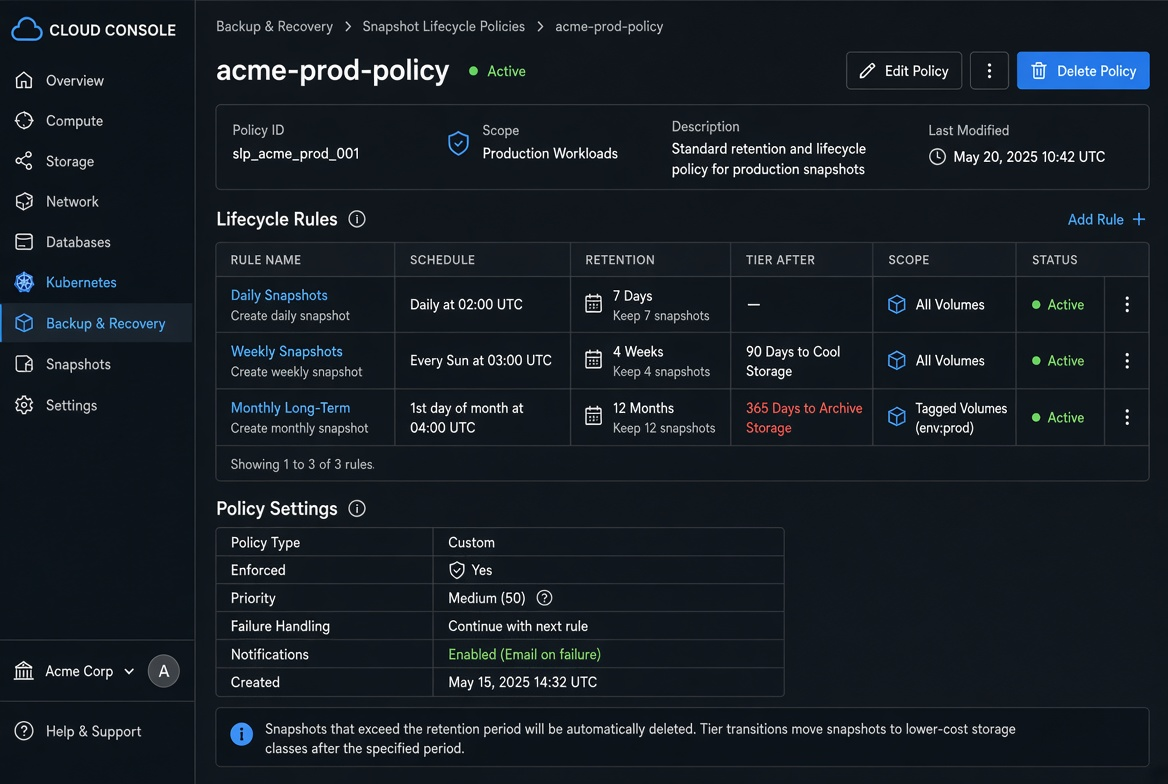
A policy that lives only in a wiki is ignored. A policy that is expressed as a lifecycle rule or a scheduled job gets enforced.
Practical defaults I use for most non-regulated workloads:
- Daily snapshots retained for 7–14 days
- Weekly snapshots retained for 4–8 weeks
- Monthly snapshots retained for 3–6 months (or longer only if required by regulation)
- Cross-region copies limited to the monthly tier or disabled unless DR testing proves they are needed
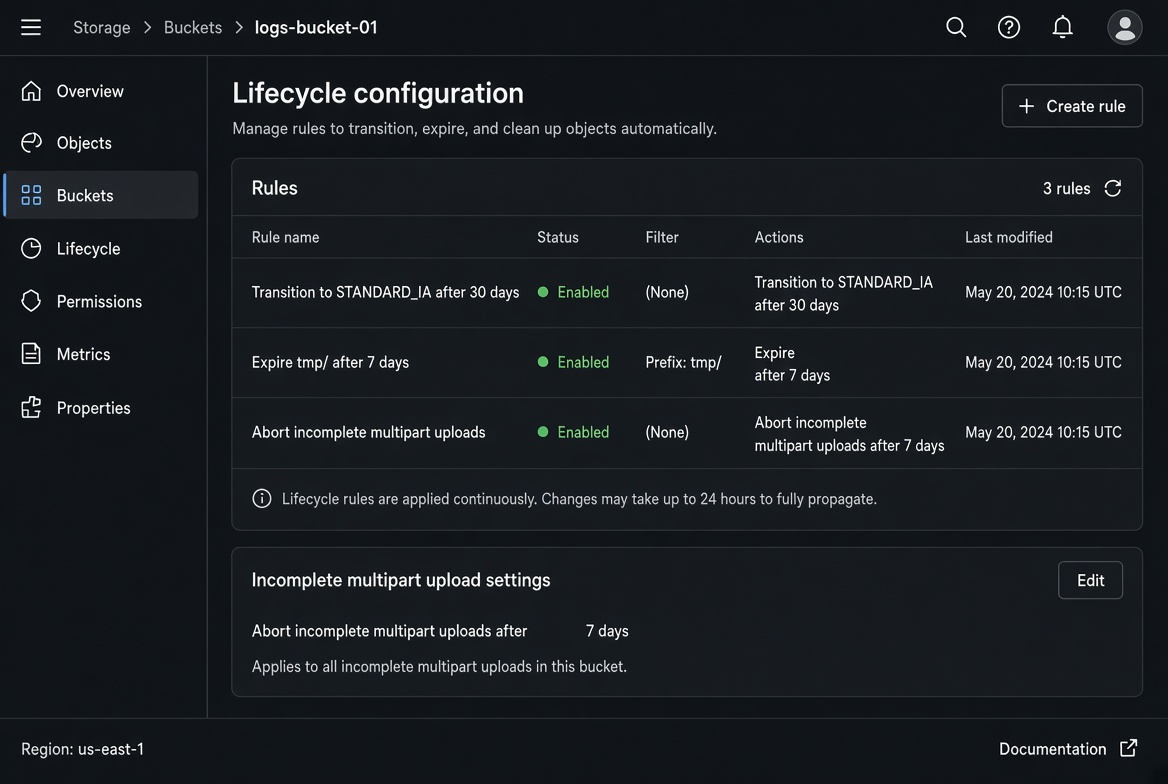
- Incomplete / failed backup artifacts deleted after 3–7 days
Express the policy in the same tool that creates the snapshots (AWS DLM, Azure Policy + Azure Backup, GCP snapshot schedules, or a simple cron + CLI script). Then verify once a month that the oldest remaining snapshot matches the policy.
# Example: simple cleanup of snapshots older than N days (use with care, dry-run first)
# aws ec2 describe-snapshots ... | jq ... | xargs -n1 aws ec2 delete-snapshot --snapshot-id
Always dry-run and protect any snapshot that is tagged keep=true or that is the source of an AMI still in use.
A second visual that helps the team is a simple age histogram of current snapshot storage. When the bar for “older than 90 days” is the tallest, the conversation about retention becomes short.
Cross-region copies and the DR tax
If the only reason for a second-region copy is “we might need it for DR,” measure the actual recovery-time and recovery-point objectives first. Many teams discover that a well-tested restore from the primary region’s snapshots already meets the RTO/RPO, and the cross-region copy is pure cost.
When a second region is truly required, copy only the monthly (or weekly) tier and set an aggressive expiration on the copy. Continuous incremental replication of every daily snapshot is rarely justified by the recovery requirements.
Incomplete backups and orphaned data
Failed or interrupted backup jobs frequently leave behind temporary volumes, incomplete snapshot chains, or multipart-upload remnants. These objects continue to incur storage charges until someone notices. A weekly job that lists resources tagged backup-temp or older than a short TTL and deletes them has paid for itself many times over.
I also watch for AMIs that were created from snapshots and then never used. An AMI pins the underlying snapshots; deleting the AMI (and its snapshots) is often the only way to reclaim that storage. A quarterly “AMI and snapshot age” report has removed more forgotten cost than any other single habit.
Decision rules that keep the bill flat
- Every snapshot schedule must have an explicit retention period expressed in code or in the managed service.
- Cross-region copy is opt-in and reviewed quarterly.
- Snapshot storage is reported as its own line in the monthly cost review.
- Any snapshot older than the policy is deleted after a short grace period, with a protected-tag exception for true long-term archives.
Snapshots and backups are essential. Unlimited retention is not. Once the real occupancy is visible and the retention policy is enforced by automation rather than good intentions, the storage bill stops growing while everyone is asleep.
When the numbers are still surprising I plug the observed snapshot storage and the retention policy into the Storage calculator and compare “current policy” versus “tighter policy.” The difference is usually large enough to justify the cleanup work in a single sprint.
I also add a monthly calendar reminder: “Review snapshot age and cross-region copies.” The review takes fifteen minutes once the CLI queries or Cost Explorer saved report exist. Skipping it for a quarter is how the silent growth returns.
Snapshots are insurance. Like any insurance, the premium should be proportional to the risk you are actually covering. Unlimited retention for every daily snapshot is almost never the right premium.
Related tools
Related reading
Why your first cloud bill is always higher than the calculator
The hidden line items that make the real invoice diverge from the pricing calculator: traffic, snapshots, public IPs, NAT, logging egress and the ways to find them with tags and Cost Explorer.
Object storage that doesn’t bleed money on downloads
Practical trade-offs between public buckets, CDN, pre-signed URLs and lifecycle rules so downloads stop being the line item that quietly doubles your bill.