Monthly cloud bill review ritual for a small team
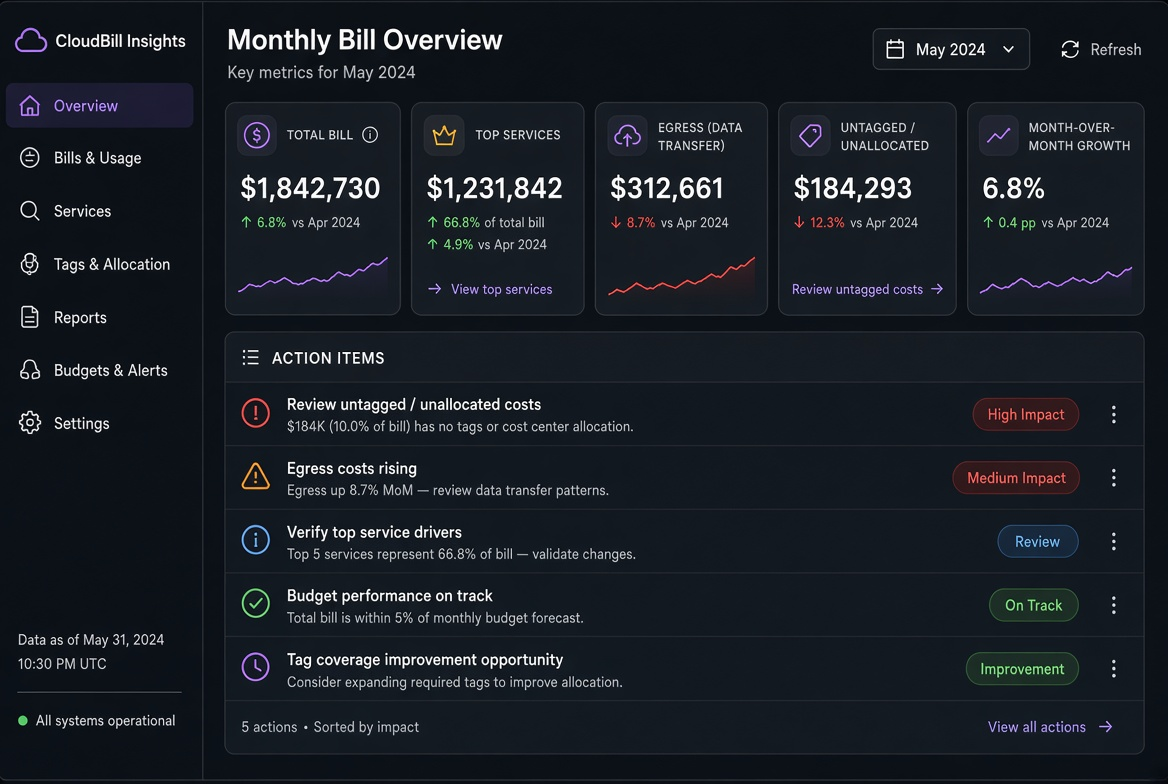
Most teams say they “should look at the bill more often.” Few have a ritual that actually happens. The difference is a fixed time, a fixed set of numbers, and a fixed output (a short list of actions with owners). Thirty minutes once a month is enough for a small team if the preparation is done in advance.
I have run this ritual with teams of four to fifteen people. The first two months feel a bit formal; by the third month it is just how we close the month. The side effect is that people start noticing cost anomalies earlier because they know the numbers will be on the table in a few weeks.
The 30-minute agenda I actually use
- Open the previous full month’s Cost Explorer / equivalent (2 min)
- Look at the five numbers below (10 min)
- Compare with the previous month and with the calculator / forecast (5 min)
- Write 1–3 action items with owners and due dates (10 min)
- Note any tag or attribution gaps that blocked analysis (3 min)
The meeting ends with a short message in the team channel: the five numbers, the delta, and the actions. No slide deck required.
The five numbers that matter
- Total spend (and the month-over-month change)
- Top three services by cost
- Data-transfer / egress total (and which service or region pair dominates)
- Untagged or “shared” spend percentage (should trend down)
- Any line that grew >20 % without a corresponding traffic or feature change
These five force the conversation onto the highest-leverage items. Everything else can wait for a deeper dive.
Preparation that makes the 30 minutes possible
- Saved Cost Explorer reports or dashboards filtered by the standard tags (
env,service,cost-center) - A one-page “expected vs actual” note from the previous month
- The current month’s calculator or budget target
Without the saved views the meeting turns into clicking around. With them it stays focused.
Action-item template
- [ ] Owner: @name
  Action: e.g. “Move log retention from 90d to 14d hot + 60d warm”
  Expected monthly impact: ~$X
  Due: YYYY-MM-DD
I limit the list to three items. More than that and nothing gets done. The next review starts by checking whether the previous actions landed.
What the ritual prevents
- Discovering a three-month-old unused NAT gateway only when finance asks
- Letting snapshot or log retention drift for half a year
- Debating instance sizes while the real growth is in egress or storage
The ritual does not require a FinOps team. It requires a calendar invite, five numbers, and the discipline to leave with owners. After three or four months the team starts catching cost issues in the same week they appear instead of the quarter after.
When a number is still surprising I open the Egress or Storage calculator with the measured volume and decide whether an architecture change or a simple retention/sampling change is the cheaper fix. The calculator keeps the discussion numerical; the ritual keeps it regular.
The ritual also surfaces ownership gaps. If a large line cannot be attributed because of missing tags, that itself becomes an action item. Over a few cycles the attribution coverage improves and the review becomes faster and more precise.
Thirty minutes, five numbers, three actions. That is the entire process. Everything else is optional deeper analysis that can be scheduled when one of the five numbers demands it.
Related tools
Cloud Data Egress Cost Calculator
Estimate monthly internet and cross-region data-transfer cost from a source region.
Object Storage Cost Calculator
Break down storage, requests, retrieval, and egress for S3, Blob, GCS, and R2.
Small Cloud VM Cost Calculator
Compare small Linux VMs on AWS T3, Azure B-series, Google E2, and DigitalOcean Droplets, including transfer.
Serverless API Cost Calculator
Estimate request and compute cost for Lambda, Functions, Cloud Run, and Workers.
Related reading
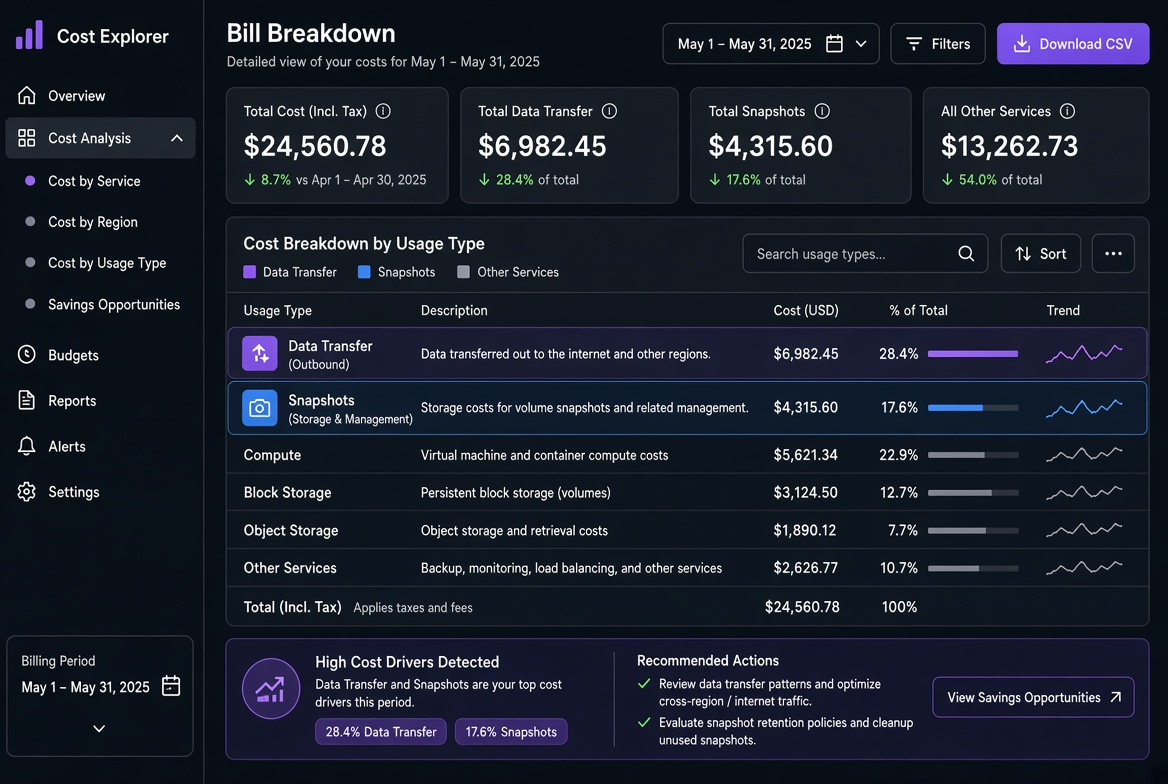
Why your first cloud bill is always higher than the calculator
The hidden line items that make the real invoice diverge from the pricing calculator: traffic, snapshots, public IPs, NAT, logging egress and the ways to find them with tags and Cost Explorer.
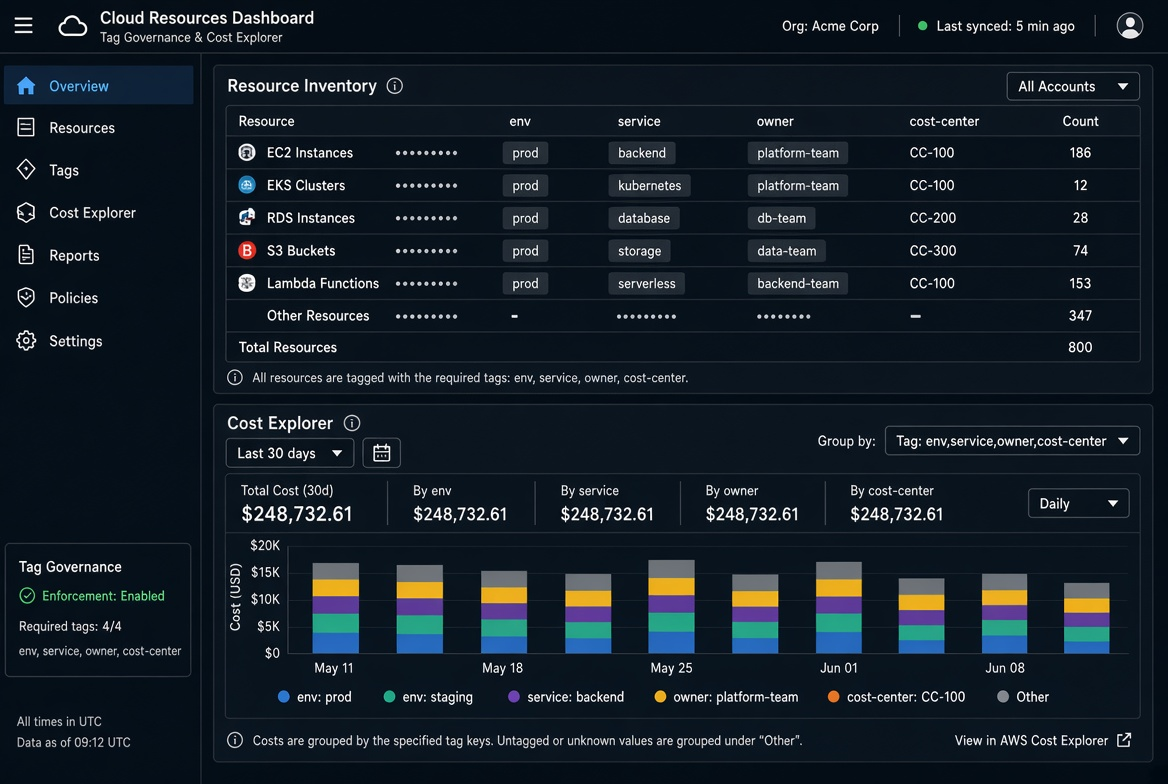
Using tags and cost allocation from day one
A practical tag strategy, enforcement mechanisms and the pain of trying to retrofit cost allocation after the fact.